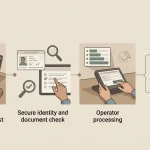
Payment options can vary by account, so compare the live cashier’s terms before depositing or installing an app.

An iPad-friendly casino is only useful if its payment options work for you. Before you think about depositing, open the account’s cashier on the device you plan to use. Read what it actually offers rather than relying on a payment logo, an old review or a page that describes the site in general terms. The cashier is where you can compare the methods currently available to your account.
The list may include familiar card brands or other types of payment. Independent specialist reviews have listed Visa, Mastercard, Skrill, Neteller, PaysafeCard and several major cryptocurrencies, but that is not a promise that any particular casino currently accepts them. Treat a review as a shortlist of possibilities, then confirm each option in the live cashier. If a method is absent there, do not assume it will appear later or that another route will work in the same way.
For each method that is actually shown, check its deposit minimum, maximum transaction value, any fee and the stated processing time. Those details are not interchangeable between methods, and they can change. The amount accepted by one option tells you nothing reliable about another. Nor does a payment logo establish whether a transaction is free or how long it will take to be processed.
When choosing an iPad casino in the UK, payout timing is one practical detail to consider. Use this list as a starting point, and check iPad support and the terms before signing up.
WinBeast
You can expect a stated payout speed of 1–3 business days.
SpinFormula
Its stated payout speed is 1–3 business days, a useful detail to consider when planning withdrawals.
NightWin
You have a stated payout-speed estimate of 1–3 business days to factor into your choice.
EvoSpin
The available detail is a payout speed of 1–3 business days.
SlotoSport
You can take its stated payout speed of 1–3 business days into account.
Jetsetspins
Its listed payout speed is 1–3 business days, giving you a clear timing estimate to consider.
NightLuck
The known payout-speed estimate is 1–3 business days.
x3bet
You can use the stated payout speed of 1–3 business days as one point of reference.
Zombillion
Its stated payout speed is 1–3 business days.
BeOnBet
You have a payout-speed estimate of 1–3 business days to consider.
I would compare the options side by side before picking one. A simple note on your iPad is enough: method, minimum, maximum, fee and processing information. If the cashier does not show a detail, look for it in the operator’s current payment terms or ask customer support before sending money. Don’t fill the gap with a figure from an old page. Payment details age quickly; the cashier is the useful reference.
Check the wording carefully, too. A displayed method may have conditions that affect who can use it, how a payment is authorised or what information must match the account. Make sure the option is available to you, not merely mentioned somewhere on the site. If the cashier displays a method but the terms are unclear, pause and get the point clarified first. A payment choice should make sense before you confirm it.
One important boundary: credit cards cannot be used to fund online gambling in Great Britain. That restriction also applies if a credit-card payment is routed through a money service business. A card brand appearing on a page should not be read as permission to use every card type; check that the payment is a permitted one and follow the cashier’s instructions.
A deposit method is not automatically a withdrawal method. Before choosing how to pay, check what payout routes are available for your account and whether the operator’s terms connect deposits and withdrawals. Some casinos may require a withdrawal to return by the same method used for depositing, while others may offer a different route. Do not assume either arrangement without checking.
That matters when comparing payment options on a tablet: the easiest method to select at the deposit screen may not be the route you want when taking money out. Make sure the withdrawal information is clear before you commit. If it is not, ask the operator how the account will be paid and what alternatives are available. A method that only suits the first half of the transaction may not be the right choice.
The cashier also gives you a chance to catch account mismatches early. Check that the payment route is in your own name and that its details fit the account information and currency. If a method depends on an account or wallet elsewhere, confirm that you can use that account as stated. A failed or delayed payment is a poor time to discover a detail you could have checked first.
The device does not change the payment terms. Whether you open the cashier in a browser or through an account route, read the full conditions rather than relying on a compact screen summary. Expand any fee or processing notes, and make sure you can see the final amount and method before confirming. If an important term is cut off or unclear, switch to a larger view or contact support rather than guessing.
Keep a record of the payment option and terms you reviewed, especially if the cashier wording is brief. Save the relevant account confirmation where appropriate, but do not share passwords or security codes. The point is not to turn a deposit into paperwork; it is to know which method you selected and what the operator said about it at the time.
For an online casino on an iPad, a sensible payment choice comes down to what the live cashier offers, what its current terms say and whether the route makes sense for both paying in and cashing out. Compare the details, not the symbols. Then decide.
A “best” label is a poor shortcut when you are deciding where to open an account on your iPad. Rankings can compress a lot of detail into one position, but they cannot tell you which withdrawal routes are currently available to your account, what the relevant limits are, or whether a fee applies. I would treat any list as a starting point for checking, not as the answer.
Begin with the operator’s current cashier. Look beyond the deposit screen: find the withdrawal information too, and check that it describes the options available to you rather than merely naming methods the operator supports in some circumstances. The choice of payment method can affect the terms you see, so a general description elsewhere may not match the route offered after you sign in.
This is where a broad claim that one site is the best online casino for iPad starts to wobble. The useful comparison is more personal: can you see the information you need, and does the account offer a payout route that works for you? If the cashier leaves a detail unclear, check the operator’s current terms or ask its support team before relying on an assumption.
Withdrawal details are not fixed advertising copy. A specialist review of casino banking points out that fees, limits and processing estimates can vary, and that public banking information does not provide dependable UK-specific figures for those details. In practice, I would give more weight to the live cashier and the current account terms than to a number quoted in an old comparison. Check again when you are making your decision. A stale figure is still a figure; it just isn’t useful.
The wording around a withdrawal can also matter. Separate what the operator says about processing its side of a request from what it says about the payment method and any further steps. If the information is unclear, do not fill the gap with a confident-sounding estimate from a ranking page. Ask for clarification and keep the answer with the terms you checked.
A fair comparison is easier if you use the same questions for each account:
That is enough to reveal whether two casinos are genuinely comparable for your needs. It also stops a familiar list of payment names from doing too much work. A method mentioned in a review is not proof that it is available to your account, and a deposit option should not be assumed to work for withdrawals.
The iPad itself does not make these banking terms portable from one operator to another. You are checking the account, not awarding points for a device label. If a site is described as one of the best iPad casinos, look for the practical evidence behind that description: current withdrawal information you can inspect, and terms that explain what applies to you. The screen may be in your hands; the conditions still belong to the account.
I also avoid treating a polished comparison table as a substitute for the operator’s own current information. Tables are handy for narrowing a choice, but their entries can go out of date as methods and conditions change. A short list of named options may look more decisive than a careful check. It isn’t. Before relying on a comparison, see whether it makes clear when its banking details were checked and whether the operator’s cashier confirms them now.
That approach works whether you are comparing a single iPad casino with another or trying to decide which online casino suits your iPad use. It keeps the decision grounded in the details that affect your account, rather than a generic winner badge. It also makes room for a perfectly sensible result: two operators may offer different withdrawal arrangements, and one may fit your preferences better without being “best” for everyone.
So when a ranking calls something the best UK iPad casino, read the claim as an invitation to verify, not a verdict. Check the live withdrawal information, compare the stated conditions, and revisit them if you return later. Rankings can point you towards a candidate. The cashier tells you what is actually on offer.
An app can be a convenient route into a casino account, but the icon on your iPad tells you very little by itself. Before installing anything, check who publishes it and whether the operator’s own website links to that app. Similar names and familiar branding are not proof that a download belongs to the business you intended to use.
I’d start with the operator’s official site, rather than a search result or an advert. Look for its app information and follow the route it provides; then compare the publisher and app name shown on the download page. If the site gives no clear link or the details do not match, pause. A download should not require guesswork.
An app listing may describe what it offers, but read it as a claim to verify, not a promise that every function will work on your device. Check the stated device and software requirements, the date of the latest update, and whether the operator explains how existing customers sign in. Do not assume that an app is available for every iPad, or that its screens and functions match what you see on another device.
Also read the listing’s privacy information and the permissions it requests. Consider whether each request makes sense for an account-access app. If the explanation is unclear, you can contact the operator before installing. Granting access without knowing why is an avoidable bit of faith.
Once installed, check that the app’s sign-in route takes you to the account you meant to use. Be wary of requests to enter account details through a link in an unsolicited message or a page that does not match the operator’s stated process. If anything looks different from the operator’s own instructions, stop and confirm through its official contact route.
An app is only a doorway; it does not establish that the operator is authorised to serve customers in Great Britain. Remote gambling operators serving the British market must hold the relevant UK Gambling Commission licence. Check the operator’s identity and licence details through the Commission’s register rather than relying on an app’s name, design or store presence.
Read the app’s own terms alongside the operator’s account terms. Check whether the app is described as an official way to access the account, how support is reached, and where account rules are provided. If the app’s information is vague or conflicts with the operator’s site, do not treat the app as the final word. Terms can change, so check them again when something important about the account or access route changes.
If you already have an account, avoid creating another just because an app presents a fresh sign-up screen. Follow the operator’s instructions for existing customers, and contact support if you cannot tell whether you are in the correct account. Keeping the route clear matters more than installing quickly.
A “best” app is not best for you merely because it is prominently displayed or has a polished listing. Check the publisher, the operator’s own link, the device requirements, the privacy details and the route to support. If those checks leave you uncertain, use the operator’s official information to clarify matters before you install or sign in. A little checking first.
Using an iPad does not change the conditions that apply when you gamble for cash. Before you deposit, make sure the site is operating under a current UK Gambling Commission licence. Operators offering remote gambling to customers in Great Britain need the relevant licence, wherever the company is based. Online gambling is legal in the UK only at licensed, regulated sites, and players must be at least 18.
Age checks are part of the account process, not a detail to leave until later. An operator must verify a customer’s age before allowing them to deposit. If the account asks for information or documents, deal with that request through the operator’s own account process and check what remains outstanding before putting money in. A deposit going through is not the same thing as every account check being complete.
There is a firm rule on credit cards. UK-licensed remote gambling operators cannot accept them for gambling, even if the payment is routed through a money service business. Trying a different route for credit-card funds does not make that payment acceptable. I treat a checkout that appears to invite this as a reason to stop and clarify the situation, not as a clever workaround.
Before your first deposit, the account should prompt you to consider setting a financial limit. Take that prompt seriously and choose a limit that fits your own budget; it is there to help you decide what you can afford to spend, not to tell you what you should spend. The operator must also keep account-level limit facilities accessible afterwards, so you can return to them rather than relying on a one-off decision made at registration.
I would also check the route for getting money back before paying in. A specialist review advises players to confirm which payout method is available to their particular account, whether identity checks are still outstanding, and what the operator’s current terms say. Those details can affect whether you can request a withdrawal and what steps might be required first. Do not assume that the route you use to deposit will also be offered for withdrawals.
That point is easy to miss on a small screen. The cashier may show a payment option clearly while the withdrawal rules sit elsewhere in the account or terms. Read the relevant wording rather than relying on a label or an assumption. If an identity check is pending, find out what is needed and whether it could affect a payout request. Better to know before the balance is tied up.
Terms matter because they describe the conditions attached to your account, not just the buttons on the cashier. Look for the sections on verification, deposits, withdrawals and financial limits. If the wording conflicts with what the account displays, ask the operator for clarification before making a payment. Keep a record of the answer and the terms you relied on. Not glamorous, but useful.
On an iPad, the practical test is whether you can inspect these details before confirming a deposit. If a page is awkward to read, open the full terms or account view rather than guessing from a shortened panel. I would not treat a successful login, a working payment screen or an available app as proof that the account is ready for real-money play. The important checks are the licence, your age and identity status, the limit prompt, the available payout route and the current account terms. Done first, not after.
“Free” can mean different things when you are looking at casino-style slots on an iPad. A game might be offered as a standalone app, included inside a casino app, or opened in a browser. It might let you play without depositing, or it might be a real-money game with a promotional label attached. Those are not interchangeable, so check what the offer actually means before treating a title as free play.
I’d start by separating the game from the route used to reach it. Searching for free slot games on an iPad can bring up apps, browser pages and casino services side by side. A listing or preview may show that a product exists, but it does not by itself establish that the game opens on your iPad, that its free mode is available in the UK, or that you can use it without creating an account. Read the product and operator’s own description rather than relying on a name or picture in an app listing.
Look for a plain explanation of what happens when you press play. Does the game use virtual credits, or does play involve depositing money? Are the credits replenished, limited, or tied to a promotion? Does the service ask you to register before access? These details matter more than a “free” label, which can describe a trial or a limited feature rather than unrestricted play.
Also check where the game is hosted. A slot in a standalone app may be different from a slot reached through a casino account, even if the screens look similar. An app-store description can help you identify the product, but the casino’s own terms determine how its service works. If those descriptions are unclear, don’t assume that a free option is available just because the game is advertised with casino imagery.
There is a further distinction between playing for fun and gambling for money. In the UK, real-money online gambling is legal only through a site with a current UK Gambling Commission licence, and the legal age is 18. A free game does not automatically make every related service a real-money casino, but do not treat a free-play screen as proof that a site is licensed for deposits and withdrawals. If money enters the picture, check the operator and the account terms before proceeding.
A game name alone cannot tell you whether it works on your device. If you are considering a free casino app for iPad, check its current listing and the operator’s information for device compatibility, access requirements and what the app is intended to do. If you plan to play in a browser, open the relevant page on your own iPad and see whether the free-play option is actually presented there. A desktop screenshot or a general claim about mobile access is not a substitute.
Keep the purpose of the product in view, too. Some casino apps are account tools or entry points rather than collections of games you can play without depositing. A store listing may mention casino games without promising that every title has a free mode. And a game visible in a promotional image is not necessarily available to you in the same form or location.
I would avoid installing anything that makes the route to play hard to understand. Check who publishes the app, what permissions it requests, and whether its description points to an identifiable operator. If the page shifts from “free play” to a deposit prompt, pause and read the terms; don’t assume that continuing is still cost-free.
If you move from free play to real-money slots, you are making a different choice. Great Britain’s online slot rules include a maximum stake per game cycle of £5 for adults aged 25 and over and £2 for customers aged 18 to 24. Online slot autoplay is banned, and spins must last at least 2.5 seconds. A free-play mode should not be confused with those real-money conditions, but it is sensible to know when a game has crossed from demonstration into gambling.
For a straightforward check, confirm the product, its publisher or operator, the exact meaning of “free”, and whether the option opens on your iPad. Then stop if the wording leaves you unsure whether money or a casino account is involved. That small pause saves guesswork.
Payforit is a pay-by-mobile option for funding an account, not a way to cash out winnings. On an iPad, the process is straightforward: choose Payforit in the cashier, enter your mobile number, then use the confirmation code sent by SMS to approve the deposit. Check that the option is actually displayed in the account’s cashier before relying on it; availability can vary.
The amounts are tightly bounded. A specialist payment review reports that Payforit deposits can have a minimum in the £3–£5 range, while the Phone-paid Services Authority sets a £30 ceiling per transaction. The cashier’s displayed minimum still matters: if it is higher than the amount you intended to spend, do not try to work around the cap by splitting payments. A small transaction limit is a real constraint, not a puzzle to solve.
There is another trade-off if you are considering a welcome offer. A specialist review reports that most UK casinos exclude Payforit deposits from welcome bonuses and other promotions. Read the promotion’s payment terms before selecting this method; depositing first and checking later is an easy way to find that the payment does not qualify. The exact terms shown by the operator are the ones to follow.
Payforit also draws on your phone account rather than a card or bank balance. For a monthly contract, the deposit is added to a future phone bill; on pay as you go, it comes from prepaid credit. That can make the payment feel separate from your usual banking, but it is still money spent. Keep track of the amount on the account that will be charged.
The key distinction is simple: Payforit moves money into the casino account. It cannot be used to withdraw casino funds, so do not choose it expecting the same route to work in reverse. Before confirming, check the amount, the operator’s payment terms and whether the deposit fits your own spending limit. If anything on the confirmation screen differs from what you expected, stop and check rather than tapping through.
On an iPad, it is easy to focus on the payment button and miss the small print around it. I check the account’s live cashier first, because a payment option or its terms can change. A specialist review can give you a useful prompt, but it is not a substitute for what your own account shows now.
Before adding funds, look for:
Do not assume that a method displayed for deposits will be available for withdrawals. Check the payout information while signed in, and make sure the route matches your account details and currency. The cashier is the place to confirm the current options; old payment tables can become stale.
There is one account check worth doing before you reach the payment screen: identity verification. If the operator asks for documents or other information, find out what is outstanding and whether it could affect access to your funds. Read the current account terms too, rather than relying on a summary elsewhere.
If you are a new remote customer, the operator must prompt you to consider setting a financial limit before your first deposit. Take that prompt seriously. Choose a limit that fits your own budget, and check that the account’s limit controls remain available afterwards so you can review or manage them later. This is a practical safeguard, not a reason to deposit more.
A tidy pre-deposit check is simple: confirm the cashier’s figures and fees, set a limit, check the account requirements, then verify the payout route. If any part is unclear, pause and ask the operator before sending money. On a small screen, a quick tap is easy; undoing a misunderstood payment is not.
A game’s presence in a casino lobby does not, by itself, tell you whether it will run properly on your iPad. I check the title from the device I plan to use, rather than relying on a desktop screenshot or a general claim that the casino is mobile-friendly. Open the game’s own information page and look for stated device and browser requirements. If those details are unclear, ask support before spending time setting up an account.
Then test what actually happens when you select it. Does the game load in the iPad browser, or does the page direct you somewhere else? Can you reach the controls, read the on-screen text and return to the lobby without losing your place? Those are practical checks, not promises about a particular model or feature. A game can be listed and still be awkward to use on your screen.
Be precise about what “available” means. A title might appear in a general catalogue but not be accessible in every mode or to every account. Check whether the page marks it as a slot, table game or another category, and whether the option shown is a playable version or simply an information page. If you want to try a game without staking money, confirm the mode and its conditions on that game’s page; do not assume that a label or thumbnail explains how it works.
For online slots in Britain, the rules also affect the playing experience: autoplay is not permitted, and each spin must take at least 2.5 seconds. The maximum stake per game cycle is £5 for players aged 25 and over, and £2 for those aged 18 to 24. Those limits are worth understanding before you judge a slot by its pace or controls.
I would not treat a long lobby as proof of a useful catalogue. Check a few titles you genuinely want to play on the iPad itself, read their individual details, and note any restrictions before choosing. A quick test beats a confident headline.
An iPad bonus is still governed by the account’s promotion terms, not by the device you use. Before opting in, read the offer alongside the cashier: check whether your chosen deposit method qualifies, whether you must activate the offer, and what conditions apply before you can withdraw. Do not assume that a payment method shown in the cashier is eligible for every promotion.
A specialist review reports that most UK casinos exclude Payforit deposits from welcome bonuses and other promotional offers. Treat that as a prompt to check the operator’s current terms, rather than as a rule for every casino. If you plan to pay by phone, look for an explicit statement about Payforit and the offer you want. If the terms are unclear, ask the operator before depositing; finding out afterwards is poor timing.
“No deposit” in an offer’s name does not tell you everything you need to know. Read the full promotion conditions to establish whether a deposit is required to claim it, what eligibility rules apply, and what restrictions attach to any winnings. Don’t infer the details from a headline or a banner on an iPad screen.
The same care applies if you are looking for a casino that accepts Bitcoin. Independent current reviews list several major cryptocurrencies among payment methods, but that does not confirm Bitcoin is available at a particular casino or that it qualifies for a promotion. Check the live cashier and the offer terms for that account. A payment option and a bonus are separate decisions.
I’d make the deposit choice only after checking both sides: the cashier’s current payment options and the promotion’s written terms. If either one leaves a key condition unanswered, pause before paying.
A live-dealer table and a pay-by-phone deposit are separate checks. Before you plan to play live on an iPad, confirm in your account that the table you want is offered and works on your device. A casino’s general mobile access does not, by itself, confirm that every live table is available there.
Then check the cashier. If Boku appears as a deposit option, read the on-screen terms before selecting it; don’t assume the method is supported just because you are using a phone or tablet. The payment flow requires you to enter your mobile number, receive a confirmation code by SMS and submit it. The funds do not move until you confirm.
There is one easy detail to miss: your available phone credit needs to cover both the deposit and any network fee. A specialist review notes that a mobile network may charge a processing fee, with the amount depending on the network and tariff. Check your own tariff and the amount shown during payment before confirming. A failed transaction is a poor way to learn what your plan allows.
If the cashier or payment screen does not make the total clear, pause and contact the operator before proceeding. Keep the SMS code private, and make sure you are confirming the amount you intended to pay. The iPad is only the screen; the charge still goes through your mobile account or balance.
Treat the live table and the payment as two independent decisions. Confirm the game’s availability on your iPad first, then use Boku only if it is currently offered and its confirmation details are clear. No guesswork needed.
Usually not: most UK casinos exclude Payforit deposits from welcome bonuses and promotions.
Payforit deposits are capped at £30 per transaction.
The listed options include Visa, Mastercard, Skrill, Neteller, PaysafeCard and several major cryptocurrencies. Check the live cashier to see which are available to you.
No. Payforit is available at some operators, including Kwiff, NetBet, JackpotJoy and Virgin Games; check the casino’s cashier to see whether it is offered to you.