Winomania App and Mobile Casino
 Available in GB
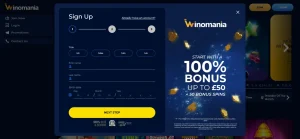
Winomania currently uses a browser-based mobile experience rather than a dedicated iOS or Android casino app. The practical mobile option is the Winomania website in a phone browser. A fresh September 2026 independent test used both Chrome and Safari and found the smartphone site responsive, with registration, menus and the casino library available on mobile. No official Winomania casino listing is currently shown in the Apple App Store or Google Play.
That makes this an app-versus-browser question rather than a download guide. You do not need an unofficial APK or a third-party download page to use Winomania on a phone. Open the official site in your browser, sign in to the same account and use the mobile layout.
Browser play is the main mobile route
Casino reviews often use the word “app” loosely to describe anything used on a phone. For Winomania, that wording can be misleading. The current product is a mobile-optimised website rather than a dedicated native casino application distributed through the Apple App Store or Google Play.
A fresh current review specifically states that the platform is restricted to the smartphone site with no casino app for iPhone or Android, and it reports testing the site in both Chrome and Safari. No official Winomania casino listing is currently shown in the Apple App Store or Google Play, so there is no app-store button, APK link or installation instruction here.
The distinction is useful for security as well as accuracy. An unofficial page can call a web shortcut or APK an “app” even when it is not published by the casino in an official store. If Winomania launches a native app later, the evidence should be refreshed before any download link is added.
How to use Winomania on iPhone or Android
The mobile route is straightforward: open the official Winomania website in your browser, sign in or register through the responsive site, then navigate the same broad casino areas available on desktop. Current independent testing supports Chrome and Safari specifically, which covers the most common browser routes for Android and iPhone users.
On iPhone
- Open Safari and go to the official Winomania website.
- Use the site’s normal sign-in or registration controls.
- Navigate games, live casino and account menus through the mobile layout.
- If useful, save the site as a home-screen shortcut using iOS browser controls.
On Android
- Open Chrome and go to the official Winomania website.
- Sign in with the same account used on desktop.
- Use the responsive lobby rather than downloading an unofficial APK.
- A browser shortcut can provide quick access without creating a native app.
A saved shortcut may look app-like on the home screen, but it still opens the website. That is different from a native application with its own store listing, update channel and device permissions.
What you can do on the Winomania mobile website
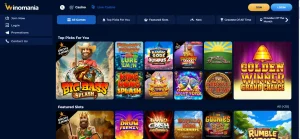
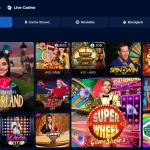
Current mobile testing supports the core activities readers normally expect from a casino site: opening the account journey, navigating menus, browsing the game library and loading games on a smartphone. The same independent review reports access to the full current game selection on mobile and specifically shows live blackjack and live baccarat in its mobile examples.
That means the absence of a native app does not imply a reduced casino category list. The broad game library remains relevant on mobile, while the dedicated live casino section can also be reached through the browser. The practical difference is delivery: the experience runs inside Safari, Chrome or another browser instead of inside an installed casino application.
Account actions should still be approached through the site itself. For registration and account setup, use the registration guide. App-only features such as biometric login, push notifications or app-exclusive bonuses should not be assumed for a browser-based mobile service.
Mobile games: catalogue access matters more than the app label
For a casino, the important mobile question is whether the games you want actually load and remain usable on a smaller screen. Current Winomania evidence supports browser access to the casino catalogue, including live content, rather than an app-specific subset.
Slots and RNG table games are usually less demanding on a phone than streamed live dealer titles, although performance still depends on the individual game and connection. A responsive lobby helps, but a large library can feel more crowded on a small display. Search, category tabs and provider filters therefore matter more on mobile than a raw game count.
Live casino adds another layer because video, table controls and chat can compete for screen space. If live dealer play is important to you, test one table on your normal connection before assuming that desktop and phone will feel identical. Live dealer games are available, but performance can vary by device, browser, connection quality and network conditions.
Apple Pay and Google Pay fit the browser-first setup
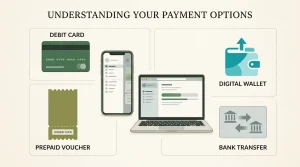
Current independent Winomania reviews list Apple Pay and Google Pay among the available deposit options. That pairing is particularly relevant to a browser-first mobile casino because it lets eligible users fund through a phone-native payment wallet without requiring a separate Winomania application.
The key qualifier is that payment availability is a live cashier fact. Methods can depend on account eligibility, device, bank and current operator configuration, so the cashier should be checked before choosing Winomania specifically for one payment route. The full payment mix and cashout considerations belong in the payment methods guide.
Apple Pay or Google Pay availability does not by itself imply faster withdrawals or guarantee availability for every account. Its mobile relevance is simply that current reviews support both as deposit options and they can be used from compatible phones.
Browser advantages and trade-offs compared with a native app
| Browser-first advantage | Browser-first trade-off |
|---|---|
| No casino app download or storage footprint | There is no dedicated native app-store presence currently shown |
| The site can update without waiting for an app update | Performance depends more visibly on the browser and connection |
| The same official URL works across phone and desktop | Home-screen access is a shortcut, not a native application |
| Games and live casino can be reached in-browser | Live streams may feel more constrained on small screens |
| No need to trust unofficial APK sources | No basis to claim app-only features such as biometric login or push alerts |
For many users, those trade-offs are neutral rather than negative. If the mobile website already covers the games and account functions you need, a native app may add little. If you specifically value native notifications or biometric controls, Winomania’s current browser-only model may be less attractive.
How to avoid fake Winomania download pages
The lack of a dedicated native app creates an obvious search risk: third-party pages can present an APK, shortcut or unrelated application as an official Winomania download. Avoid unofficial APK files or unrelated app listings.
- Start from the official Winomania web address rather than a download directory.
- Do not install an APK merely because a page uses the Winomania name or logo.
- Do not enter casino credentials into a third-party wrapper application.
- If a future native app appears, verify that the store publisher and operator details match official brand information before installing it.
These checks are practical because an app-store badge is not proof by itself. No official Winomania casino listing is currently shown in the Apple App Store or Google Play, so browser access remains the main route.
Mobile usability depends on your actual device and connection
A third-party review can confirm that a site worked in Chrome and Safari during testing, but it cannot guarantee performance on every phone. Older devices, browser extensions, weak mobile data and power-saving settings can all affect loading or live video.
A practical test is to open the lobby, search for a game, switch between portrait and landscape where useful, and load one title before making a large deposit. For live dealer play, check that the video remains stable and that the controls are large enough to use deliberately. If pop-ups or overlays are difficult to dismiss on your device, that is a real usability issue even if the underlying game still loads.
The same principle applies to payments and account verification: complete important actions through the official site and keep your browser updated. A mobile casino should reduce friction, not create pressure to use unofficial software.
Winomania mobile and app questions
Does Winomania have an iPhone app?
No dedicated iOS casino app is currently shown through the official mobile route. The supported route is the mobile website in Safari or another browser.
Does Winomania have an Android app?
No dedicated Android casino app is currently shown through the official mobile route. Use the official site in Chrome or another modern browser rather than an unofficial APK.
Can I play live casino games on a phone?
Yes. Current mobile testing supports live casino content in the browser, including live blackjack and baccarat examples.
Can I use Apple Pay or Google Pay?
Current independent reviews list both among Winomania deposit options. Check the live cashier for your own account before funding.
Why Winomania works as a mobile-site casino, not an app
Winomania’s current mobile proposition is simple: the responsive website is the product. It provides browser access to the casino library, live dealer section and core account journey without requiring an official iOS or Android casino application.
That is a good fit if you prefer not to install another gambling app and are comfortable using Safari or Chrome. It is a weaker fit if native app-store distribution or app-only features are a priority. For the full brand context beyond mobile, return to the Winomania review.